
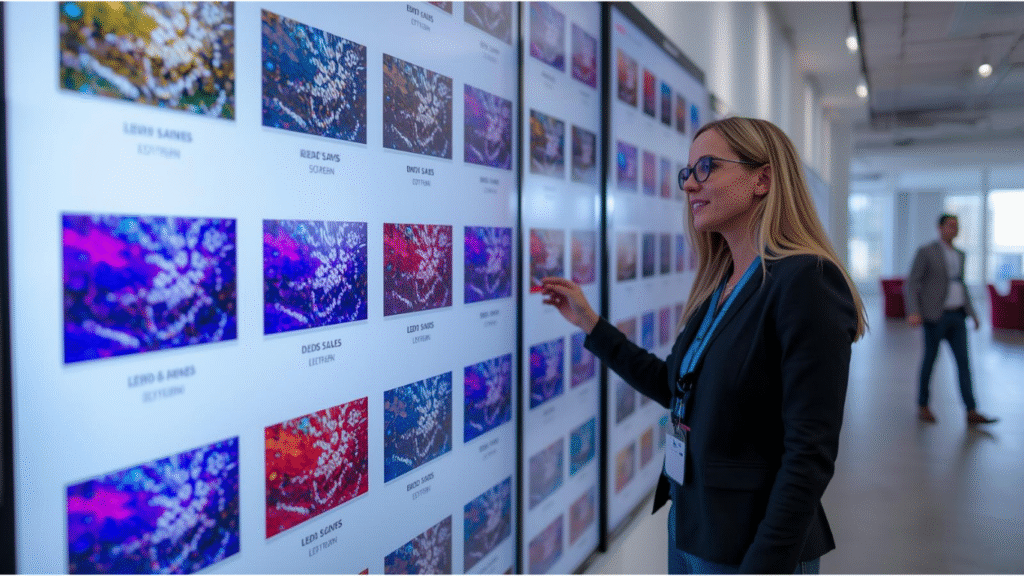
Choosing the right LED screen rental for your event is one of the most important decisions you can make as an organizer. LED screens do more than display visuals—they set the overall mood, create engagement, improve audience experience, and elevate the professionalism of your event. Whether you’re planning a corporate seminar, wedding, live concert, music festival, exhibition, product launch, or sports event, the quality of the LED screen will directly influence audience satisfaction.
In today’s event industry, LED screens have become a standard feature. With the rapid development of LED technology, screens are now brighter, sharper, more energy-efficient, and more flexible than ever. But this advancement also means choosing the right LED rental provider can be overwhelming. Many event organizers struggle to determine the correct pixel pitch, screen size, structure requirements, and which supplier truly offers reliable service.
To help you make the best choice, here are the top 10 expert tips for selecting an LED screen rental that ensures smooth execution and creates maximum visual impact.
1. Understand the Purpose of Your Event
Before reaching out to vendors, you must clearly define the goals and requirements of your event. Consider the following:
– Is your event indoors or outdoors?
– What type of content will you display? (videos, graphics, live camera feed)
– How large is the audience size?
– Will the screen be the main stage backdrop or a side supporting screen?
– Do you need multiple LED screens at different points?
Understanding your needs helps the vendor recommend the proper LED screen configuration. For example, a product launch requires crisp, high-definition content, while a music festival prioritizes brightness and durability.
To learn more about professional LED solutions for events, you may explore providers such as Meta Creative Indonesia, available at https://metacreative.co.id.
2. Choose the Correct Pixel Pitch
Pixel pitch is one of the most crucial specifications in LED displays. It represents the distance between two LED pixels in millimeters. The general rule: the smaller the pixel pitch, the higher the resolution and clarity.
Ideal pixel pitches depend on viewing distance:
– P1.9 – P2.6: Suitable for indoor events with close audiences such as conferences and weddings.
– P3 – P4: Ideal for general indoor events, corporate stages, and exhibitions.
– P5 – P6: Suitable for outdoor events where audiences are farther from the screen.
– P8 – P10: Commonly used for large outdoor concerts and sports events.
Selecting the wrong pixel pitch can result in blurry visuals or unnecessary overspending. Always ask your vendor for a viewing distance chart to determine what’s best for your event.
3. Evaluate Screen Brightness Requirements
Brightness is measured in nits, and different event environments require different brightness levels.
Indoor event standard: 1,000 – 2,500 nits
Outdoor event standard: 5,000 – 7,000 nits or more
High brightness prevents the screen from appearing washed out under strong lighting or sunlight. Quality LED screens also offer automatic brightness adjustment to optimize energy usage and avoid glare.
Choosing a professional provider ensures you get a screen with high brightness capacity and control systems. Many advanced providers, such as Meta Creative Indonesia, also offer brightness calibration as part of their rental services.
4. Pay Attention to Refresh Rate
Refresh rate determines how smoothly the screen displays moving images. A low refresh rate will cause flickering, especially when viewed through cameras. For events involving photography, videography, or live broadcast, choose a screen with:
Refresh rate of at least 3,840 Hz
This ensures stable output and avoids flicker during slow-motion recording or high-speed camera movements. Professional vendors should always specify refresh rate in their LED catalog.
5. Select the Right Screen Size and Aspect Ratio
The screen size should match the event venue. A screen that is too small will fail to make an impact, while a screen that is too large may overwhelm the stage.
Common screen sizes for events include:
– 3×2 meters (small indoor events)
– 4×3 meters (corporate meetings)
– 6×3 meters (large seminars)
– 8×4 meters or larger (concerts and festivals)
While 16:9 is the most common aspect ratio, wide LED walls in panoramic formats are increasingly popular for immersive visual experiences.
Choosing a provider that can guide you based on venue layout is essential. Companies like Meta Creative Indonesia often perform site inspections before recommending a screen configuration.
6. Inspect Build Quality and LED Module Brands
Not all LED screens are created equal. High-quality modules offer better brightness, color consistency, and durability. Reputable LED module brands include:
– Nationstar
– Kinglight
– Nichia
– Cree
Ask your vendor to identify the LED brand and inspect the screen personally before the event if possible. Quality LED panels should not show dead pixels, uneven brightness, or inconsistent color.
Event organizers often underestimate this step, but poor LED quality can compromise your entire event’s visual experience.
7. Ensure Proper Rigging, Structure, and Safety
Safety is non-negotiable. LED screens are heavy, and improper rigging can be dangerous. Make sure your vendor provides:
– Certified truss systems
– Secure rigging equipment
– Structural engineering checks
– Backup power distribution systems
– Weather protection for outdoor events
Your vendor should follow strict safety protocols, especially when installing large LED walls for concerts. Professional companies will always offer on-site inspections and risk assessments.
8. Check the Availability of Technical Support
Technical support can make or break your event’s success. A reliable LED screen rental provider must offer:
– On-site technicians throughout the event
– Real-time signal monitoring
– Backup LED modules
– Spare LED controllers
– Quick troubleshooting
Do not rent from vendors who send the screen but do not provide technical staff. Event LED screens require constant monitoring, especially for long-duration events like festivals or exhibitions.
9. Look for Additional AV and Multimedia Services
Some vendors also provide supporting services such as lighting, sound systems, staging, cameras, and multimedia servers. Working with one integrated provider simplifies coordination and reduces technical issues.
Full-service providers like Meta Creative Indonesia offer comprehensive AV solutions that integrate LED screens, lighting systems, and multimedia content playback—making your event production smoother and more efficient.
10. Compare Pricing and Understand the Full Cost Breakdown
LED screen rental prices vary depending on:
– Screen size
– Pixel pitch
– Duration of rental
– Labor and installation
– Transportation
– Venue difficulty
Always ask for a transparent, itemized quotation. Avoid vendors offering extremely cheap prices, as this could indicate poor screen quality or inexperienced technicians.
Comparing at least three quotations helps you get the best value while ensuring quality and safety standards are met.
Conclusion
Choosing the right LED screen rental is essential for creating a successful and memorable event. By considering factors such as pixel pitch, brightness, refresh rate, safety structure, and technical support, you can ensure a smooth and visually impressive experience for your audience.
Whether you are hosting a corporate event, concert, exhibition, or private celebration, a professional LED display provider will help bring your creative vision to life. For event organizers seeking fully integrated LED and lighting solutions, you can explore more at Meta Creative Indonesia: https://metacreative.co.id.
With the right planning and the right vendor, your event will deliver powerful visual impact and a seamless professional experience from start to finish.